Free · open source · self-hosted
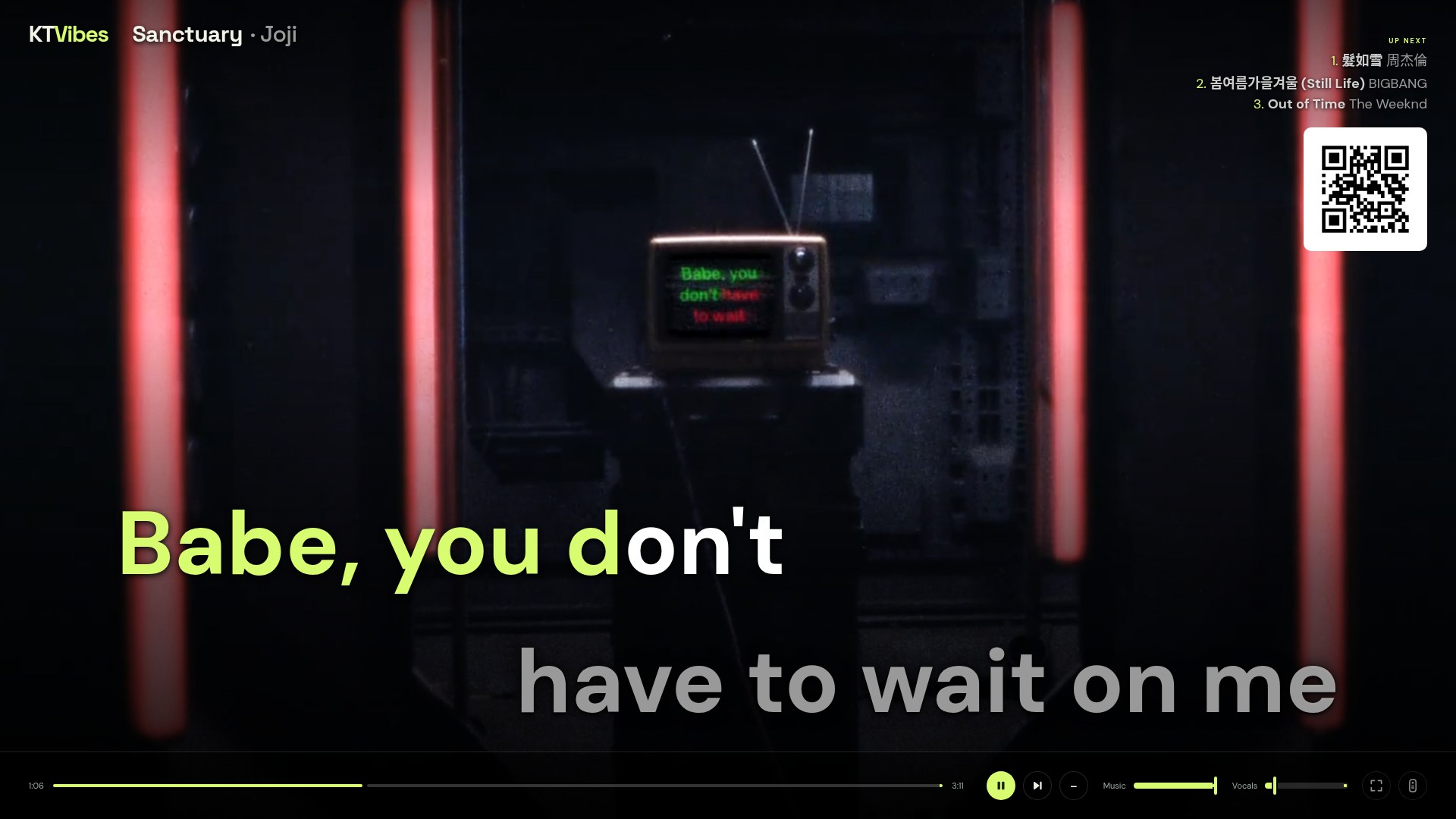
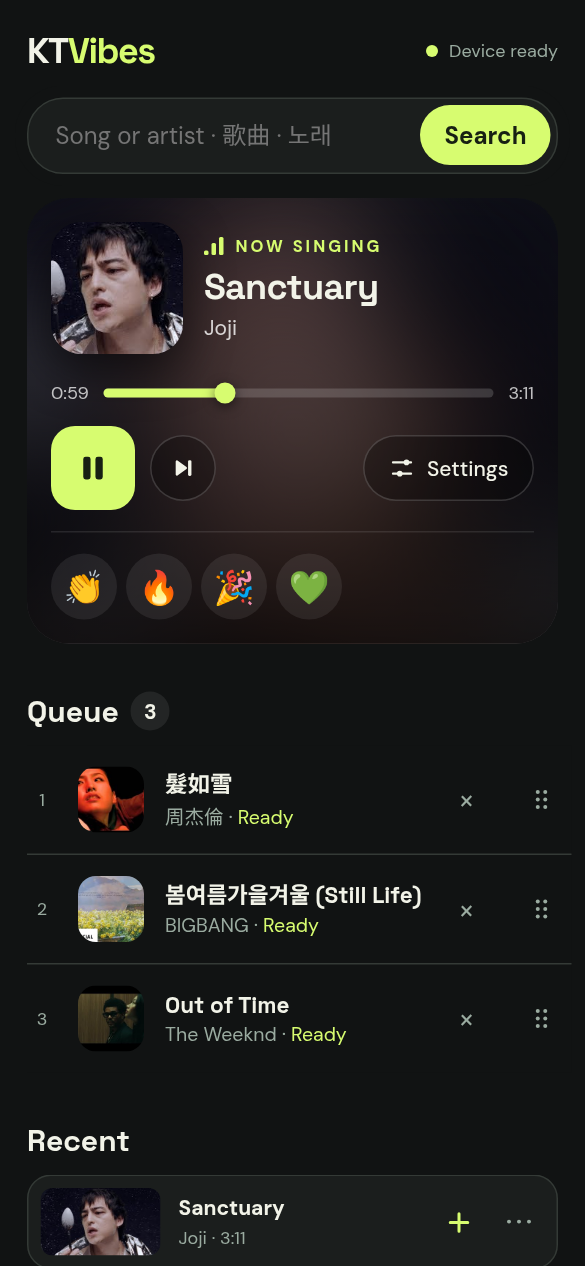
Turn any YouTube song into karaoke
AI removes the vocals. Lyrics fill as they're sung. Everyone queues from their phone.
AI removes the vocals. Lyrics fill as they're sung. Everyone queues from their phone.
Queue songs from the phone, send cheers, raise the key. The TV keeps everyone in the loop.
Everything a karaoke box does, built from songs you already know.
Search from your phone. KTVibes downloads the song and its music video, and skips reactions, dance practices, mixes and karaoke uploads.
Demucs separates the singer from the music, on an NVIDIA GPU, Apple Silicon or CPU. Keep a little guide vocal if you like.
Synced lyrics from LRCLIB, timed character by character against the vocals by forced alignment.
Shift ±6 semitones without changing tempo, or slow a song down without changing pitch.
Scan the QR code on the TV to join. One shared queue for everyone: drag to reorder, undo removals.
A pronunciation guide sits above every character and fills along with it. Cycle guides from the remote, or press G.
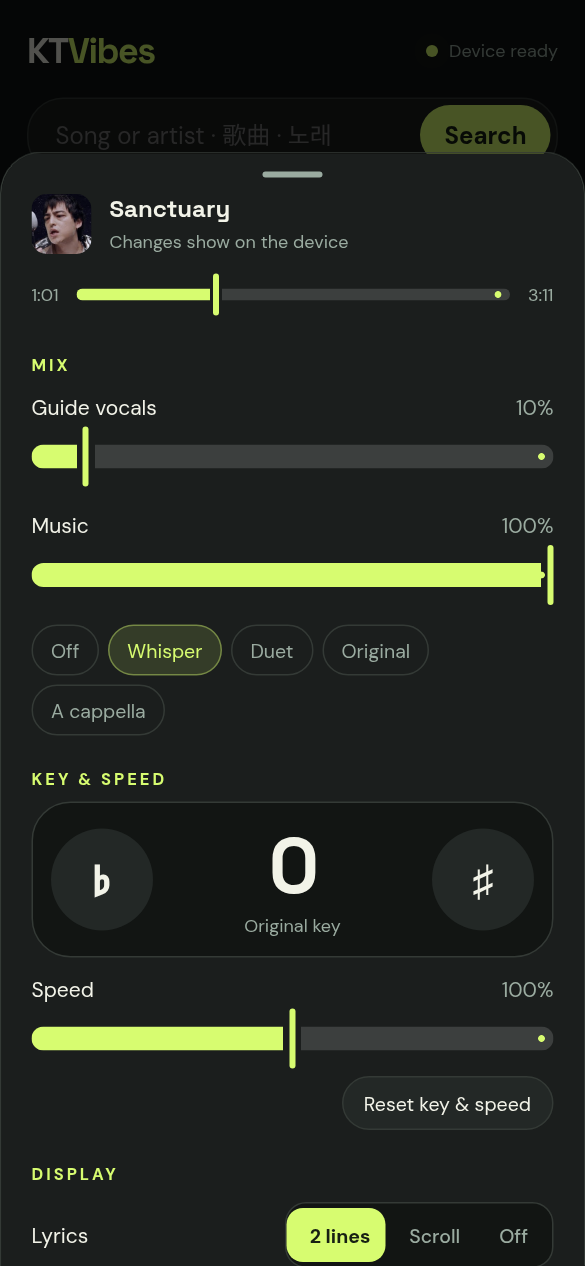
Turn the original singer down to a whisper, or all the way off.
K-pop song with a Japanese release? Pick which lyrics to show, live.
Sing a song once and it starts instantly next time.
Every change, from key to queue, pops up on the TV so the room knows. Between songs, a countdown card shows who's up next.
Tap 👏 🔥 🎉 💚 on your phone and they float up the side of the TV.
Needs a computer connected to the TV. An NVIDIA GPU or Apple Silicon Mac makes songs ready in seconds.
curl -LsSf https://raw.githubusercontent.com/andyleenz/KTVibes/main/install.sh | bash
Linux, macOS or Windows (the Windows installer is new and untested). Needs git, ffmpeg and Node.js 22+; uv installs Python 3.12.
NVIDIA (CUDA 12.8 driver) or Apple Silicon. CPU works, but is much slower.
Vocal separation took 5.3 s for a 4:45 song on an RTX 5070 (model warm) and 33.6 s for a 6:00 song on an M1 Pro. Word alignment takes 1–5 s per song.
About 8 GB: the install is 6.5 GB (mostly PyTorch), plus an ~80 MB separation model and ~1.2 GB alignment model on first use. Each cached song is about 30 MB.
Not yet. It's on the roadmap.
KTVibes downloads from YouTube with yt-dlp to your own machine, for personal at-home use. Respect artists' rights and YouTube's terms where you live. It ships no music.
Yes, to search, download songs and fetch lyrics. Cached songs play from disk.
Anyone on the same local network who scans the QR code. It isn't meant to be exposed to the internet.
AI vocal removal on any YouTube song, with an adjustable guide-vocal slider; a character-by-character KTV wipe timed to the vocals; and pinyin, jyutping, romaji and Hangul guides.
LRCLIB, a community-run lyrics database. Some songs have none. You can pick another language version from the remote.